Try Request Timeouts
Preparation
-
Make default namespace managed by Kmesh
-
Deploy bookinfo as sample application
-
Install service granularity waypoint for reviews service
The above steps could refer to Install Waypoint | Kmesh
-
And install waypoint for ratings service
istioctl x waypoint apply -n default --name ratings-svc-waypoint
kubectl label service ratings istio.io/use-waypoint=ratings-svc-waypoint
kubectl annotate gateway ratings-svc-waypoint sidecar.istio.io/proxyImage=ghcr.io/kmesh-net/waypoint:latest
Request timeouts
A timeout for HTTP requests can be specified using a timeout field in a route rule. By default, the request timeout is disabled, but in this task you override the reviews service timeout to half a second. To see its effect, however, you also introduce an artificial 2 second delay in calls to the ratings service.
-
Route requests to v2 of the
reviewsservice, i.e., a version that calls theratingsservice:kubectl apply -f - <<EOF
apiVersion: networking.istio.io/v1alpha3
kind: VirtualService
metadata:
name: reviews
spec:
hosts:
- reviews
http:
- route:
- destination:
host: reviews
subset: v2
EOF -
Add a 2 second delay to calls to the
ratingsservice:kubectl apply -f - <<EOF
apiVersion: networking.istio.io/v1alpha3
kind: VirtualService
metadata:
name: ratings
spec:
hosts:
- ratings
http:
- fault:
delay:
percentage:
value: 100
fixedDelay: 2s
route:
- destination:
host: ratings
subset: v1
EOF -
Open the Bookinfo URL
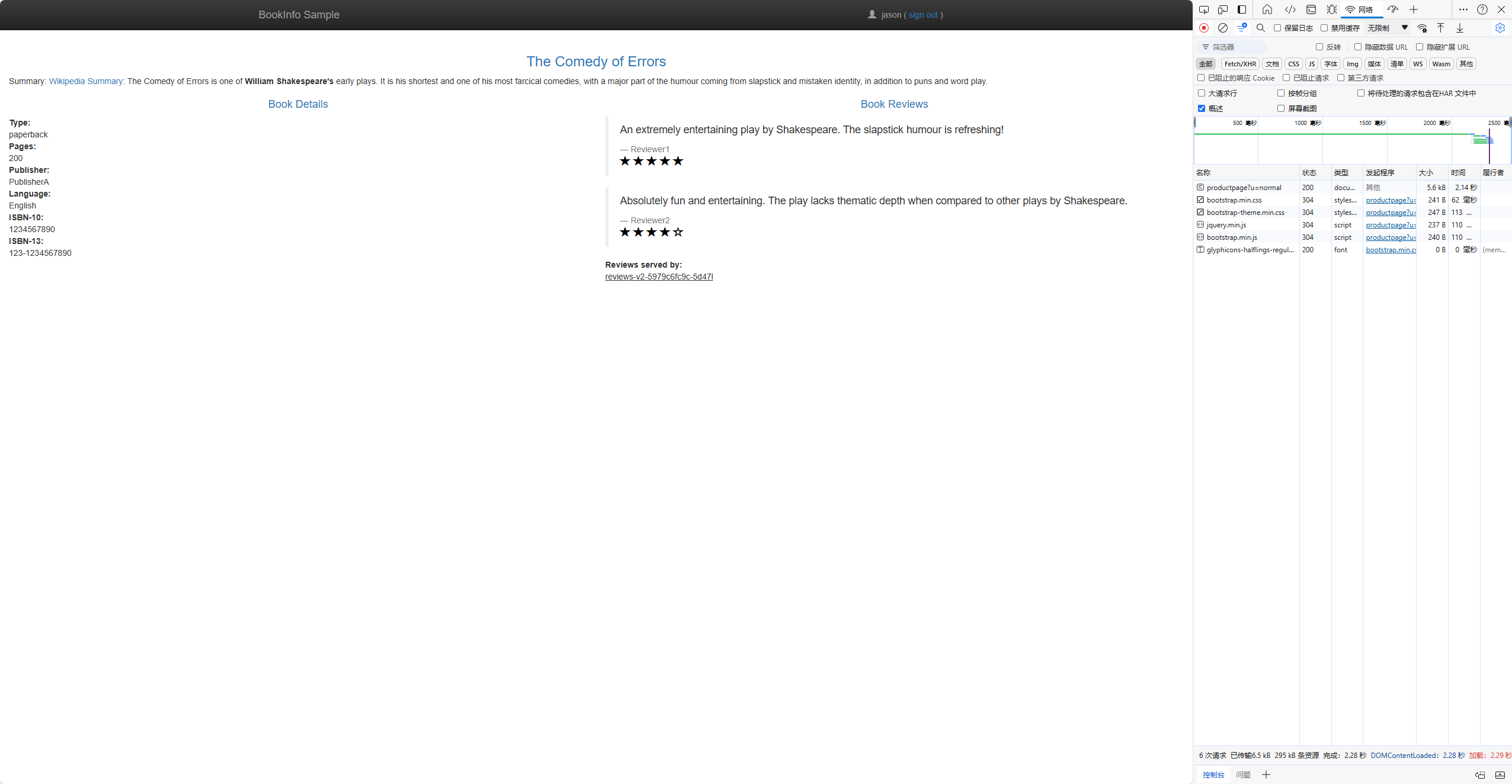
http://$GATEWAY_URL/productpagein your browser, where$GATEWAY_URLis the External IP address of the ingress, as explained in the Bookinfo doc.You should see the Bookinfo application working normally (with ratings stars displayed), but there is a 2 second delay whenever you refresh the page.
-
Now add a half second request timeout for calls to the
reviewsservice:kubectl apply -f - <<EOF
apiVersion: networking.istio.io/v1alpha3
kind: VirtualService
metadata:
name: reviews
spec:
hosts:
- reviews
http:
- route:
- destination:
host: reviews
subset: v2
timeout: 0.5s
EOF -
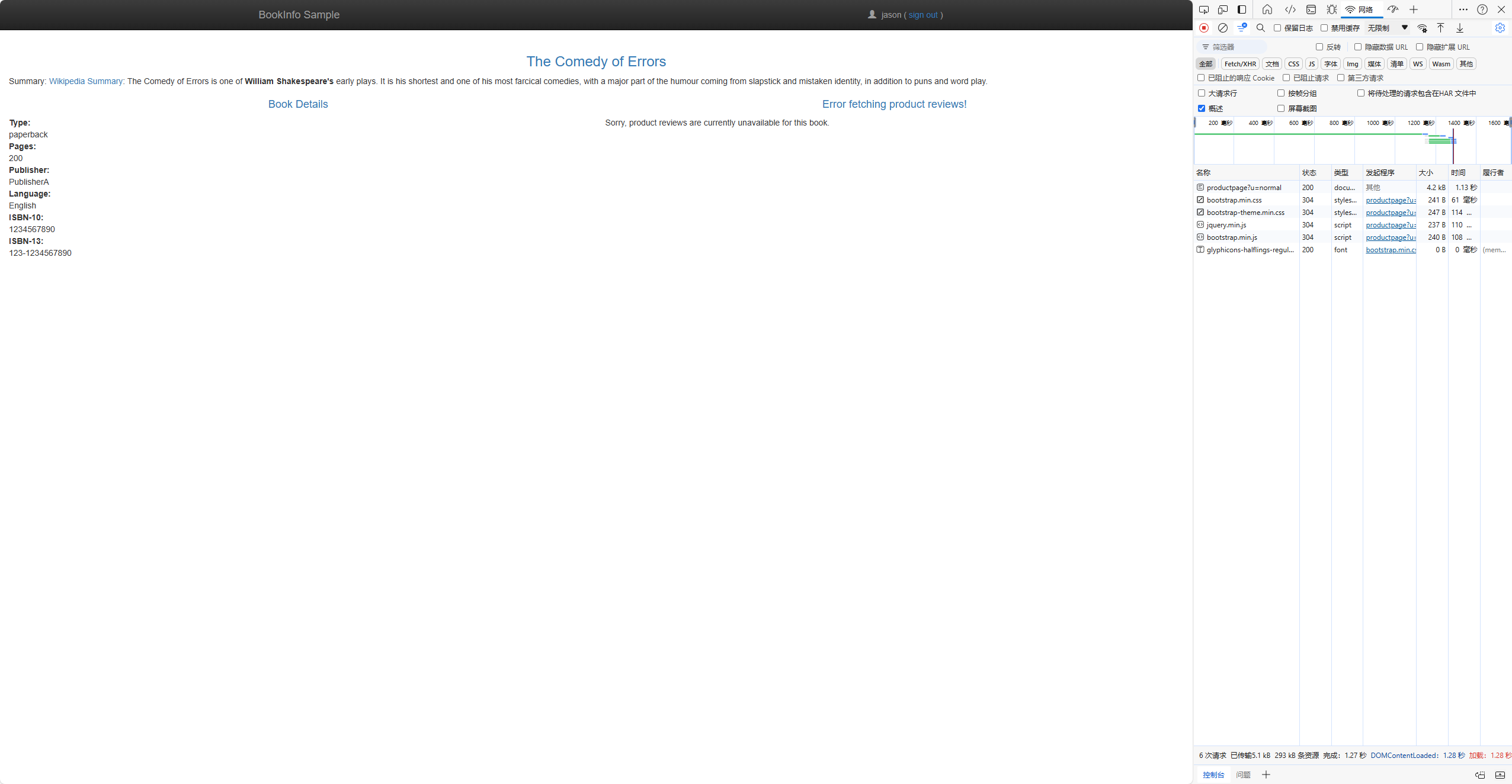
Refresh the Bookinfo web page. You should now see that it returns in about 1 second, instead of 2, and the reviews are unavailable.
Understanding what happened
In this task, you used Kmesh to set the request timeout for calls to the reviews microservice to half a second. By default the request timeout is disabled. Since the reviews service subsequently calls the ratings service when handling requests, you used Kmesh to inject a 2 second delay in calls to ratings to cause the reviews service to take longer than half a second to complete and consequently you could see the timeout in action.
You observed that instead of displaying reviews, the Bookinfo product page (which calls the reviews service to populate the page) displayed the message: "Sorry, product reviews are currently unavailable for this book". This was the result of it receiving the timeout error from the reviews service.
If you examine the fault injection task, you'll find out that the productpage microservice also has its own application-level timeout (3 seconds) for calls to the reviews microservice. Notice that in this task you used an Kmesh route rule to set the timeout to half a second. Had you instead set the timeout to something greater than 3 seconds (such as 4 seconds) the timeout would have had no effect since the more restrictive of the two takes precedence.
Cleanup
-
Remove the application routing rules:
kubectl delete virtualservice reviews
kubectl delete virtualservice ratings -
If you are not planning to explore any follow-on tasks, refer to the Install Waypoint/Cleanup instructions to shutdown the application.